

Buy X Get Y offer
Learn how to pick the right product pair, set a discount that converts, and write copy that makes the deal obvious.
Most customers who buy your best-seller stop at one item. Not because they did not want anything else, but because nothing in the shopping experience gave them a reason to keep going.
Buy X Get Y fixes that. When a customer adds your trigger product to their cart, a widget appears offering them a deal on a second product. It could be a natural add-on they would have wanted anyway, or a second version of the same hero product they already love. The setup is straightforward: buy one product, get a second product at a percentage off.
Examples from real brands
When to use Buy X Get Y
BXGY is built for stores where most customers buy one thing and leave. If the majority of your orders are single-item, BXGY gives those customers a clear, low-friction reason to add a second product.
The simplest check: look at what percentage of your orders contain only one item. If that number is high, BXGY is the right starting point.
If your customers already tend to buy multiple products per order, Bundle Builder is a better fit. BXGY introduces multi-item buying. Bundle Builder rewards it once it is already happening.
When not to use Buy X Get Y
If a meaningful portion of your customers already buy two or more products per order, you are leaving money on the table with BXGY. Switch to Bundle Builder, which gives those customers a structured discount that grows with their cart.
How to choose X and Y
The logic: your best-selling product is X. The product customers most often buy alongside it is Y.
X is the trigger: the product a customer adds first to unlock the offer. In practice that is usually your best-seller or one of your most frequently purchased items, because you want the offer in front of the widest slice of shoppers. Y is the product they get at a discount. It should be something they already tend to buy with X, not a random SKU you are trying to dump.
If shirts are in 37% of all orders, shirts are X. If 63% of those shirt orders also contain another shirt, then Y is also a shirt, and the offer becomes “buy a shirt, get a second shirt for 30% off.”
Finding X with Shopify Sidekick
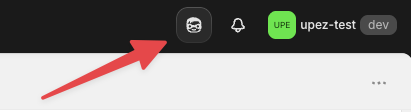
Here is where to find Sidekick in your admin:
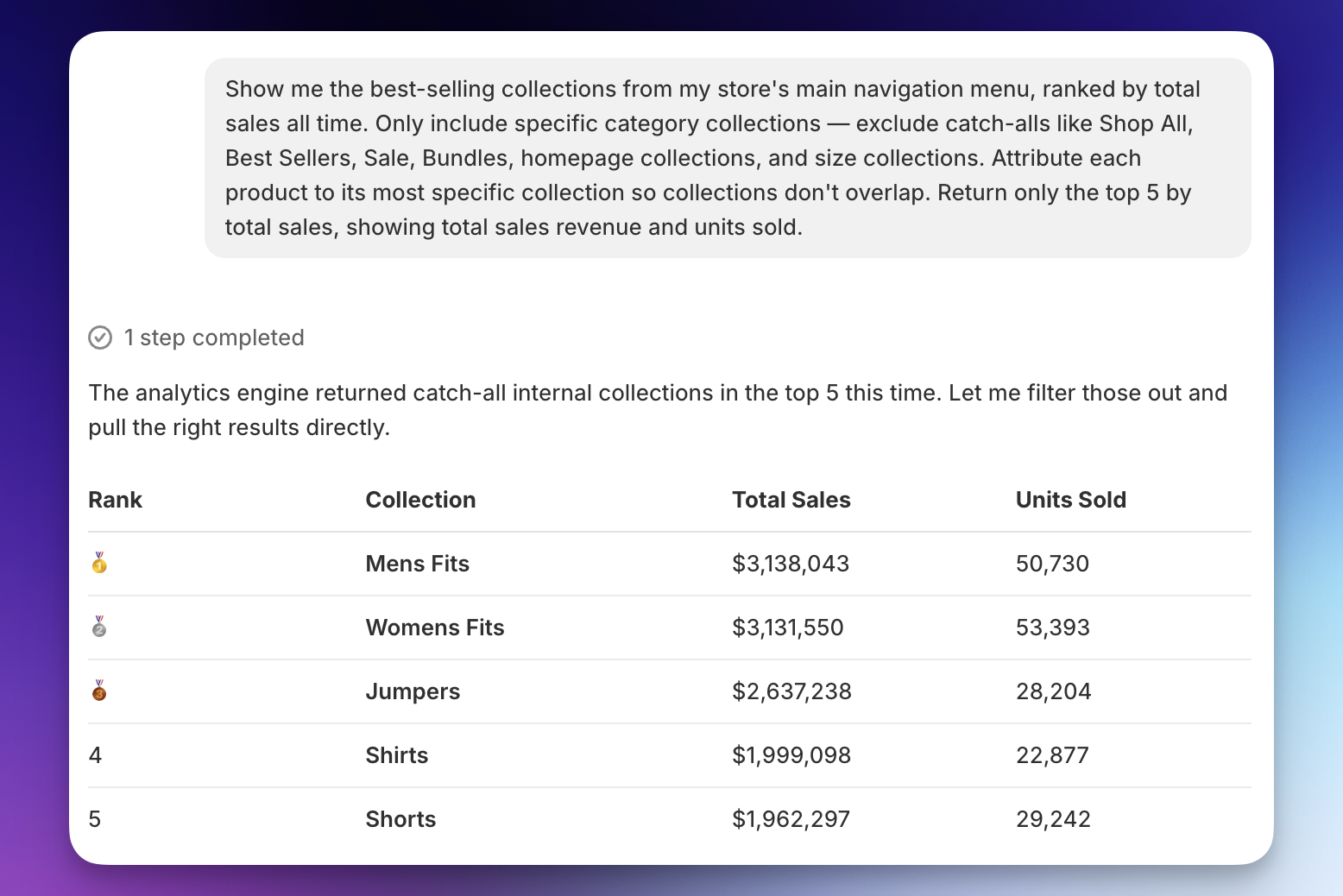
Start by finding which collections have strong sales but low average items per order. These are the collections where customers are already buying your products but stopping at one — exactly the behavior BXGY is designed to change. Open Sidekick and paste this prompt:
The collections that come back are your strongest candidates for X. Pick the best-seller from within those collections as your trigger product.
Finding Y with Shopify Sidekick
Once you know which collection X comes from, paste this prompt (replace the bracketed part with your collection name):
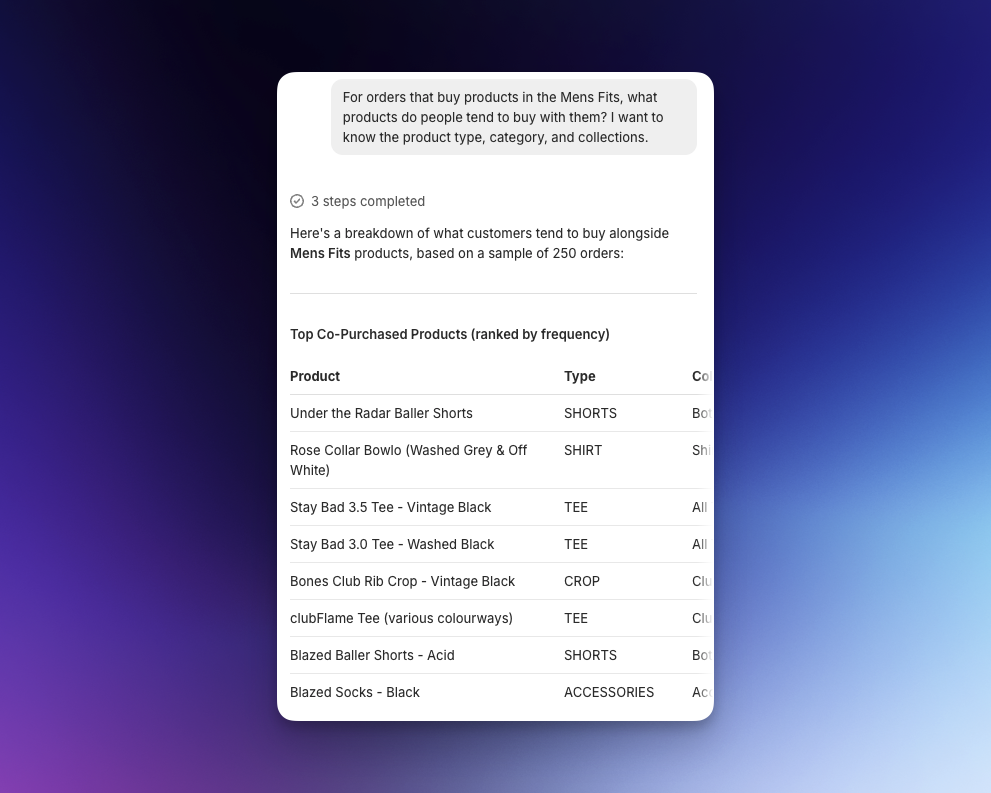
The top result from that list is your Y.
When you are ready to publish, create the offer in Upnova: Offers → Create New Offer → Buy X Get Y, then plug in X, Y, your discount, and the headline and discount label using the sections below.
How much to discount Y
The rate on Y in the offer needs to feel like a real saving, not a token gesture. A token percentage will not change behavior.
Start with the principle: if a customer looks at the offer and thinks “that is not worth the extra item,” the discount is too small. If you feel uncomfortable offering it, it is probably about right.
In practice:
- 10%: minimum to feel meaningful. Works for high-margin products where even a small saving feels real.
- 20–30%: strong pull. This is the range where most merchants see a clear lift in offer acceptance.
Balance what feels compelling to the customer against what is sustainable for your margin. If the math does not work at 20%, test 15% and see if acceptance rate justifies it.
How to promote Buy X Get Y in the cart
Upnova gives you two placements to surface the offer inside the cart.
Bottom of cart — this appears below all cart items and is the most spacious placement available. It supports multiple collections, so you can promote the offer across different product types in one spot. Upnova also gives you three layout templates for this placement, each with a different look that fits different store styles.
Below a specific cart item — this placement appears directly under the trigger product in the cart, right where the customer’s attention already is. It works best when the offer is tightly paired: the customer just added X, and the offer for Y appears immediately below it. Ideal for hyper-targeted cross-sells where the pairing is obvious and specific.
Headline and discount label
The headline is the line customers read in the Upnova cart widget. The discount label is the short title Shopify shows next to the discount in the cart summary and on the order, so people understand what the deduction is for. Both should read like plain English about this deal, not a generic promo.
Headline: Say exactly what they get and speak to one shopper. “Get your second polo for 50% off” works; “special deal, check it out” does not. Use your so it feels personal.
Discount label: “20% off” does not say what qualified. “50% off second polo with shirt” does. Match the headline so the cart widget and the discount line tell the same story.
Common mistakes
Vague headline, vague discount label — two sides of the same problem
These two mistakes almost always show up together. When either one is vague, shoppers do not know what they earned.
Headline: “special deal, check it out” tells a customer nothing. “Get your second polo for 50% off” tells them exactly what they are getting and why it is worth adding to their cart.
Discount label: “20% off” leaves the context unclear. “50% off second polo with shirt” ties the saving back to the pairing they actually added.