

Bundle Builder offer
Learn how to choose the right collections, set tiers that actually motivate, and get customers to find it.
Bundle Builder gives customers a discount that grows with their cart. They pick any products from a curated selection, mix and match freely, and the more they add, the better the deal they unlock.
It works best for stores where customers already tend to buy more than one thing: fashion brands, accessories, consumables, anything where a cart with three or four items is normal.
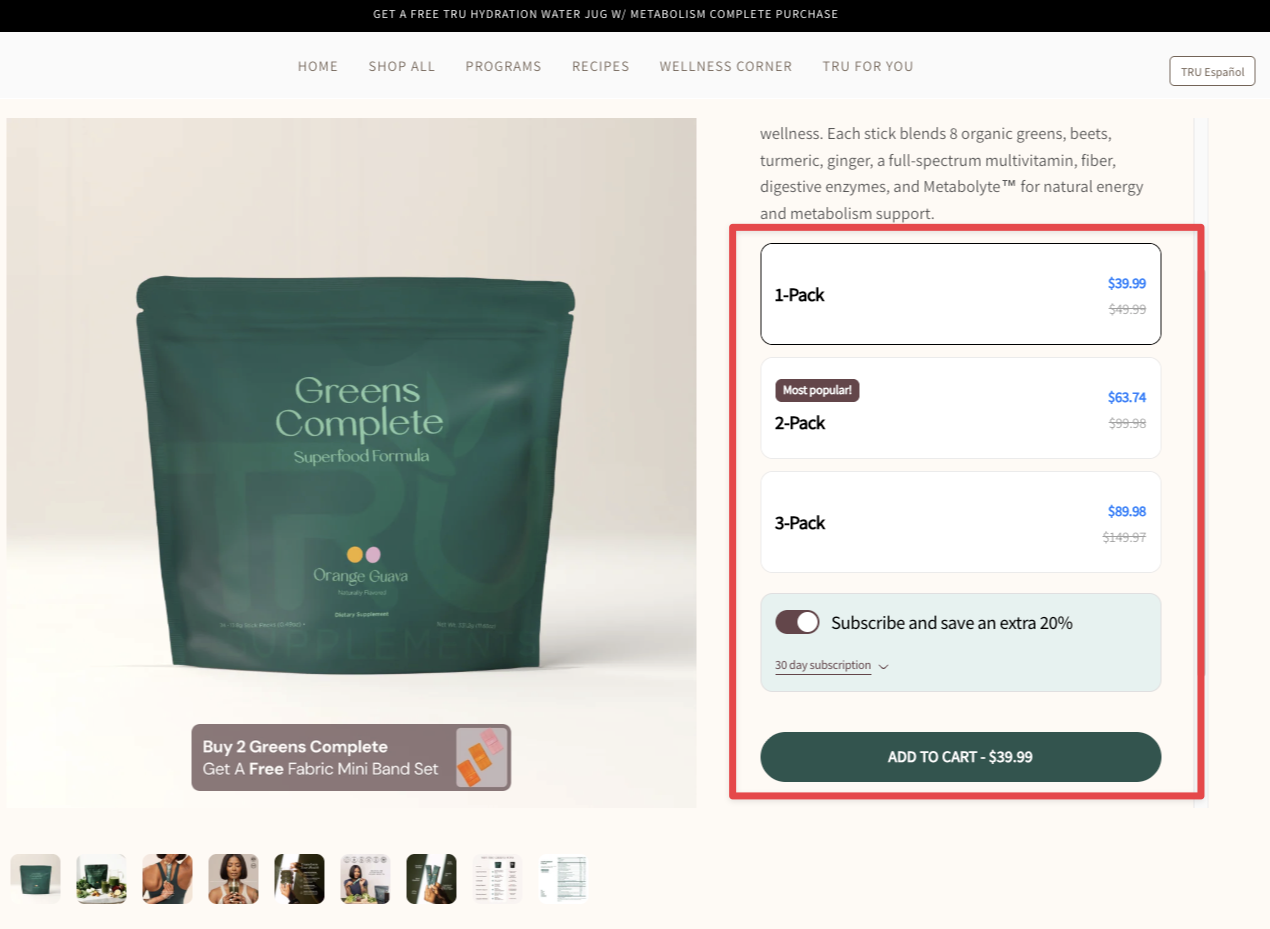
Examples from real brands
When to use Bundle Builder
Bundle Builder is a natural fit when your customers already buy more than one item at a time. If you sell fashion, accessories, consumables, or anything where mixing products makes sense, this offer gives that behavior a structured reward.
The easiest way to confirm: check whether a meaningful portion of your orders contain two or more items. If that is already happening without any incentive, Bundle Builder will amplify it.
When not to use Bundle Builder
If almost all of your orders are single-item, there is no underlying behavior to reinforce. Bundle Builder will not create multi-item buying habits from scratch. A better starting point is the Buy X Get Y offer, which is designed to introduce multi-item buying. It rewards customers for adding a second product, and you can revisit Bundle Builder once that behavior takes hold.
How to choose your collections
Pick your best-selling collections and include multiple so customers have real options to browse. The more variety in the selection, the more likely customers find something they genuinely want to add.
If you are not sure which collections to start with, use Shopify Sidekick to find out. Here is where to find it in your admin:
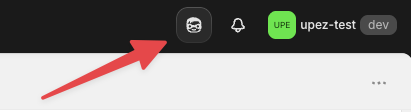
Open Sidekick, then paste this prompt:
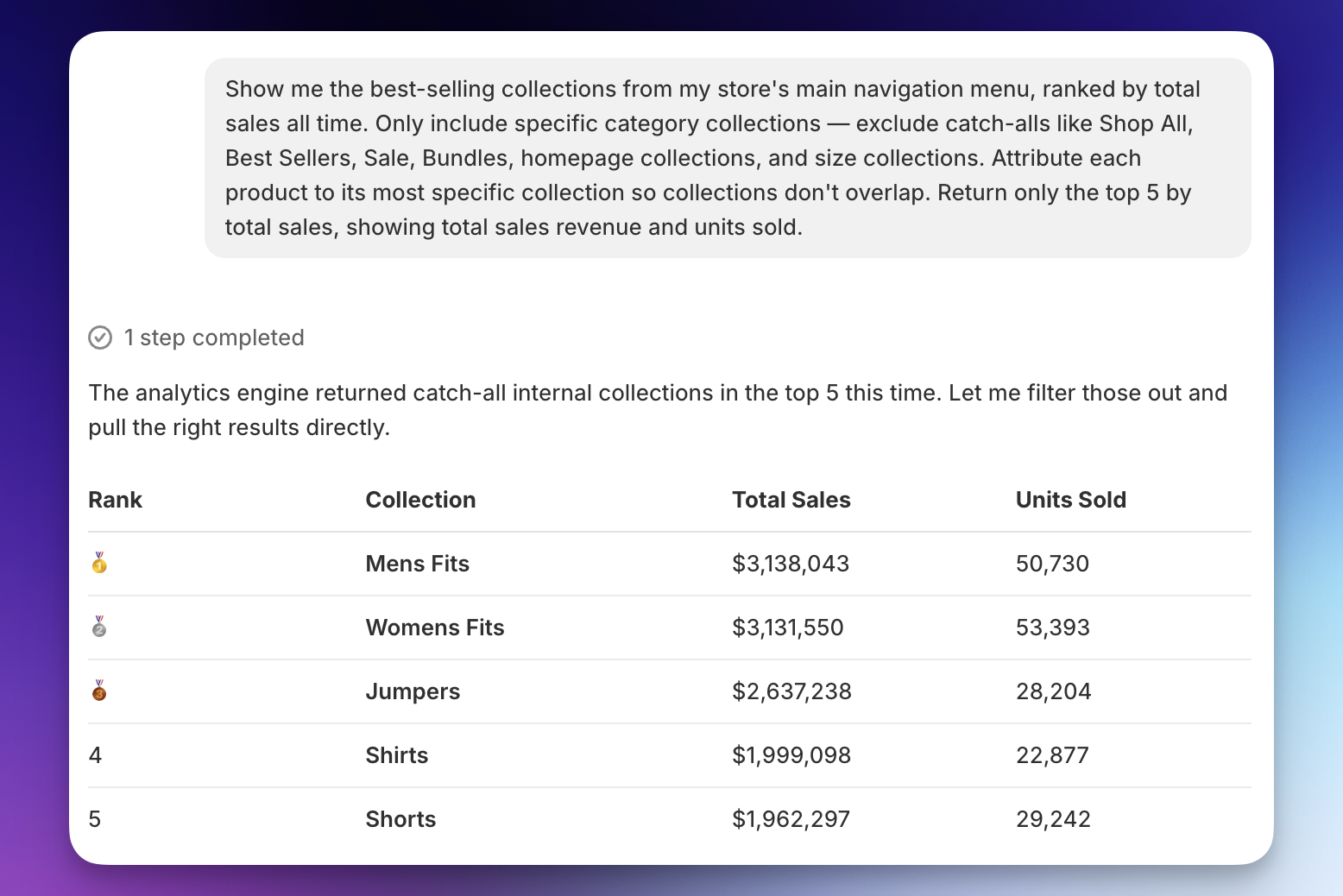
Start with the top collections from that list.
How to set your discount tiers
The goal is a first tier that is within reach for a real portion of your customers: not so low it gives away discount without effort, not so high it feels unachievable.
Use Shopify Sidekick to find the right number. Open Sidekick, then paste this prompt (replace the bracketed part with your collection name):
Sidekick returns a breakdown showing how many orders had 1 item, 2 items, 3 items, and so on.
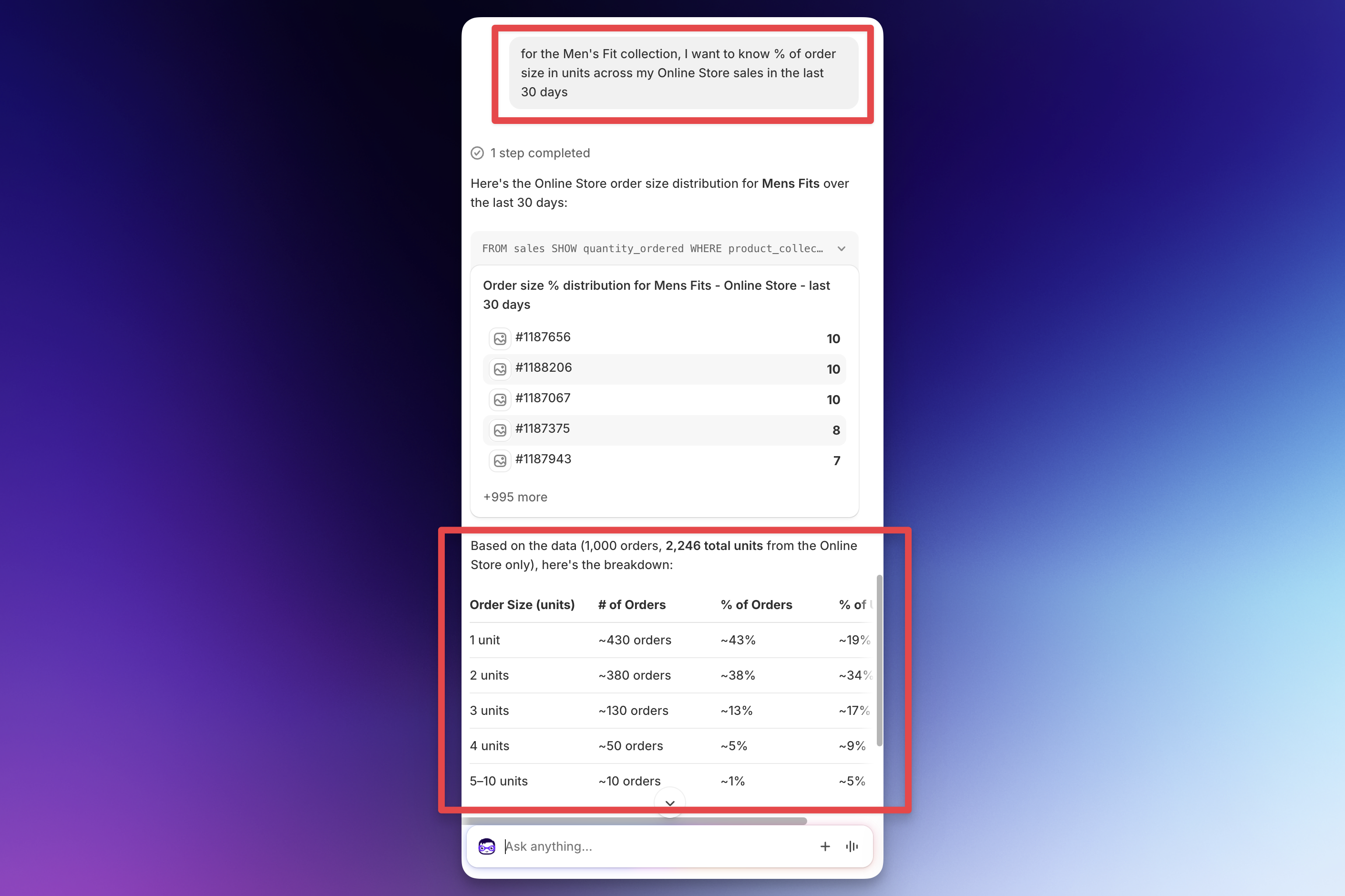
Look at where the distribution sits and set your first tier at the item count that covers roughly 20–30% of your orders. These are customers who are already close and will stretch to hit the discount.
From there, increase the savings incrementally for each tier above it. The jumps between tiers matter as much as the starting number. Going from 10% to 15% to 20% feels meaningful. Going from 10% to 11% to 12% does not.
Start your first tier at a minimum of 10% off. Anything below that is not compelling enough to change behavior.
How to promote Bundle Builder
The bundle page does not appear anywhere in your store by default. You have to put it in front of customers.
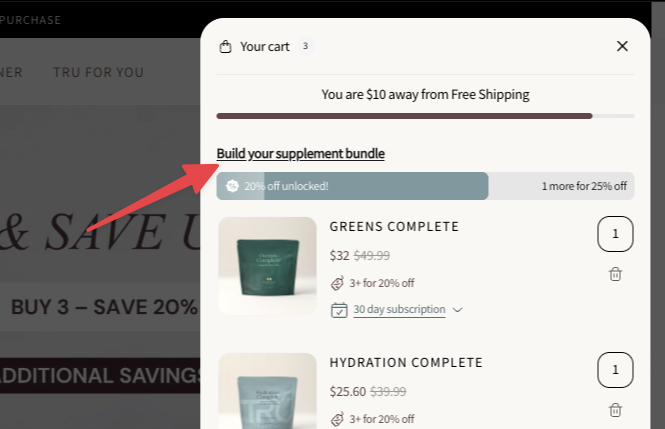
Cart progress bar widget: every customer who opens the cart sees this. It shows the current discount tier, how many items they are from the next one, and a link to browse more products. Set this up first.
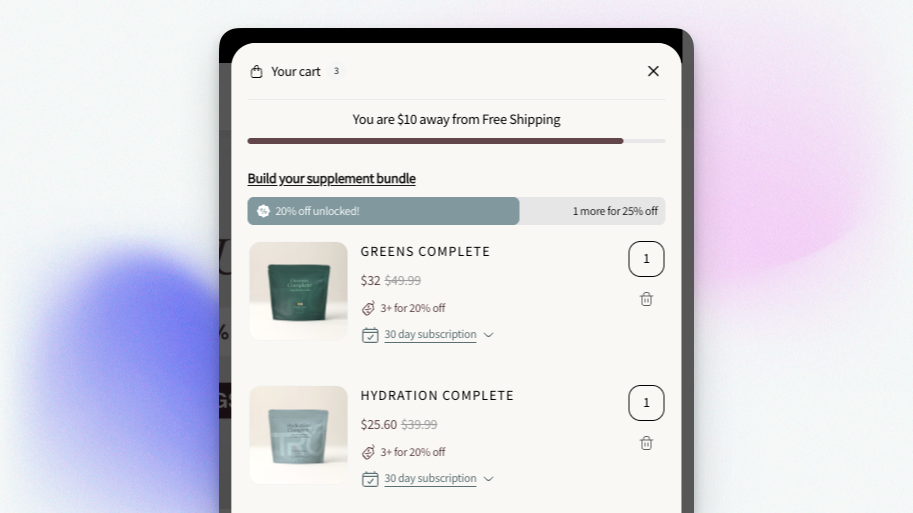
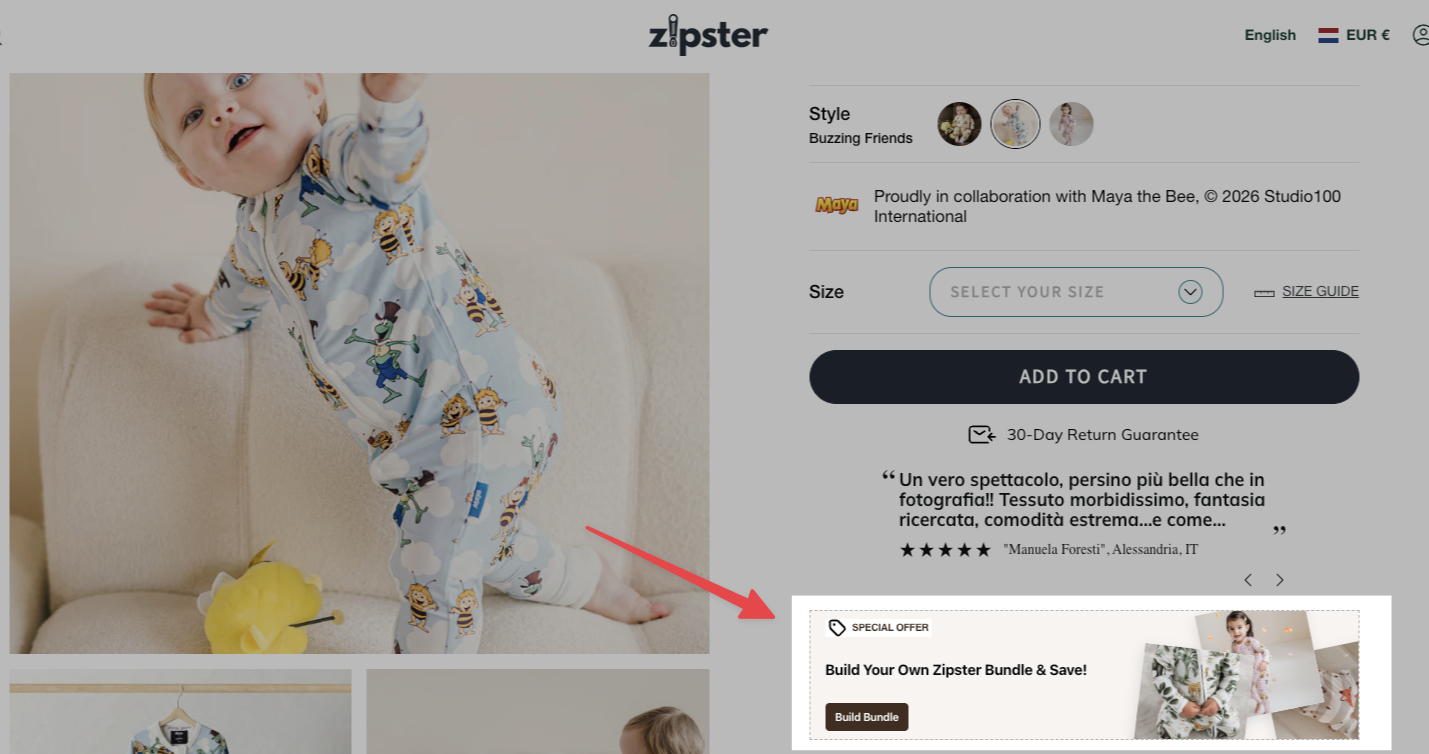
Product page widget: adds a message on your product pages before customers reach the cart, for example “special offer: build your own bundle and save up to X%.” This catches customers earlier in their session, when they are still in browsing mode. Setup requires a quick step in Shopify’s theme editor — see the help center for a walkthrough.
Navigation menu: add the bundle builder URL to your main nav. Customers see it from the first page they land on. Some merchants run ads directly to the bundle builder URL and use it as a standalone landing page.

Tips
Write a specific headline. Tell customers exactly what they are doing and what they will get, and personalize it to your product. “Build your shirt collection and save up to 30%” works far better than “bundle up and save.” The more the headline sounds like it was written for them specifically, the more it converts.
Pair with a Product Volume offer if variants matter. If you sell consumables, skincare, supplements, or any product where customers care about getting the right size or flavor, set up a Product Volume offer with the same discount tiers alongside your Bundle Builder. Product Volume shows directly on the product page, so customers see the deal while they are still browsing — before they even open the cart. The two offers together increase visibility and give customers more natural paths to a bigger order.
Common mistakes
Setting the first tier too high, and the reward too small
These two problems usually show up together. If customers need to buy five items to unlock a 5% discount, no one bothers. The tier needs to feel reachable and the reward needs to feel worth it. Use the Sidekick method above to find a realistic starting point, and make sure the discount at each tier is a meaningful jump.
Writing a headline that tells customers nothing
“Bundle up and save” does not tell a customer what to do or what they will get. “Build your own bundle and save up to 30%” does both. If a customer cannot understand the offer in two seconds, they will scroll past it.
Mixing very different price points in the same bundle
If your selection includes both low-cost and high-cost products, customers will instinctively fill their bundle with cheaper items and apply the percentage discount to the most expensive one. Keep the products in your bundle within a similar price range to avoid this.